> For the complete documentation index, see [llms.txt](https://docs.jonlo.co/llms.txt). Markdown versions of documentation pages are available by appending `.md` to page URLs; this page is available as [Markdown](https://docs.jonlo.co/run-searches/run-search.md).
# Run search
## Start searches
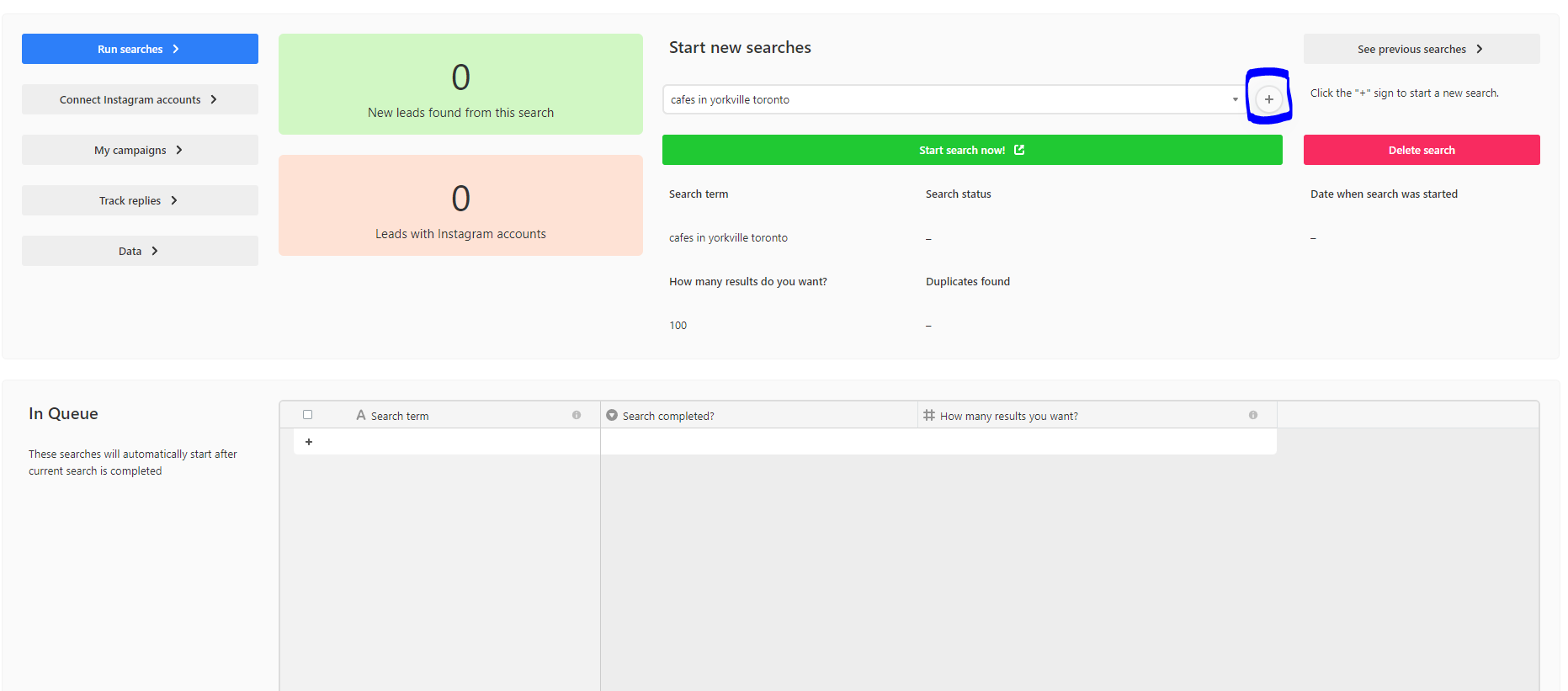
To start searches, click the "+" sign
Then, type in your "search term" and "how many results you want".
Your search term triggers the bot to scrape Google Maps for the same search phrase.
You can be quite targeted. Some possible search terms include:
* Cafes in Toronto
* Bars in SE1, London UK
* Gift shops in 10001, USA
* Sustainable grocers near Lake
* Sustainable grocery store near lake simcoe
You should try these searches on Google Maps first directly to ensure you're extracting the type of data you want. Anything you can find on Google Maps is scrapeable. Coverage is global.
"How many search results you want" limits the maximum amount of search results returned.
The maximum amount of search results is 200. This is a Google Maps limitation - Maps will not display more than the first 200 results.
To get more than 200 search results, break down the search into smaller categories and do multiple searches. E.g. Instead of 'cafes in Toronto', do 'cafes in Yorkville Toronto', 'cafes in Liberty Village Toronto', etc...